WebStorm
WebStorm comes with ESLint and Stylelint built-in. It just needs to be configured to run on save.
Prettier
To enable Prettier open settings ctrl + alt + s and head to Language & Frameworks > Javascript > Prettier. Check the On Save option.
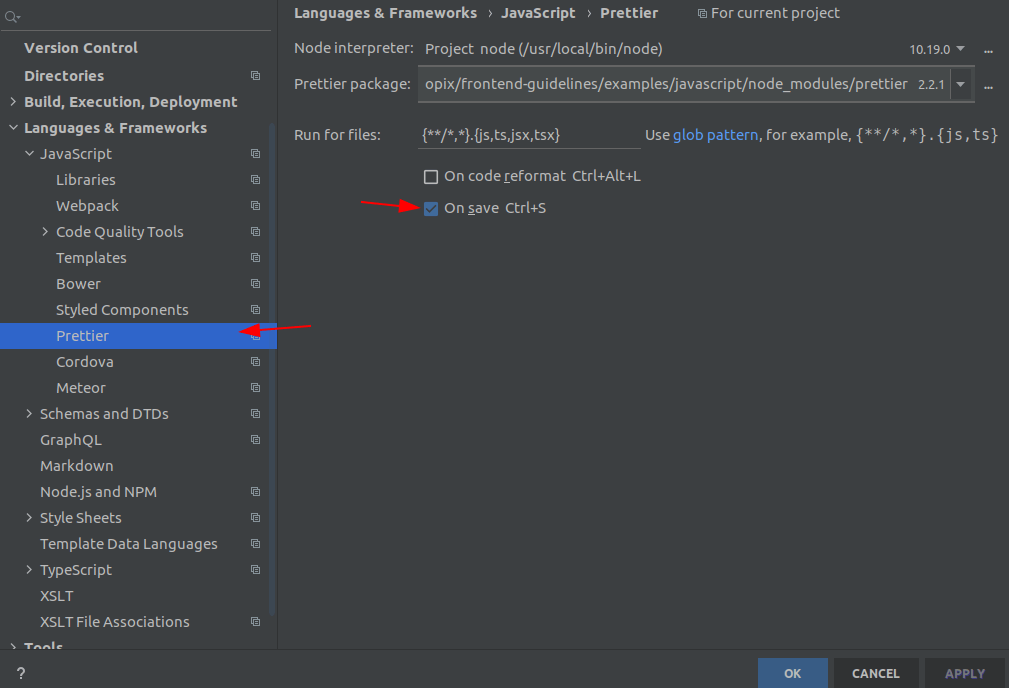
This will run Prettier on save.
ESLint
To run eslint --fix on save, open settings ctrl + alt + s and head to Language & Frameworks > Javascript > Code Quality Tools > ESLint. Check the Run eslint --fix on save option.
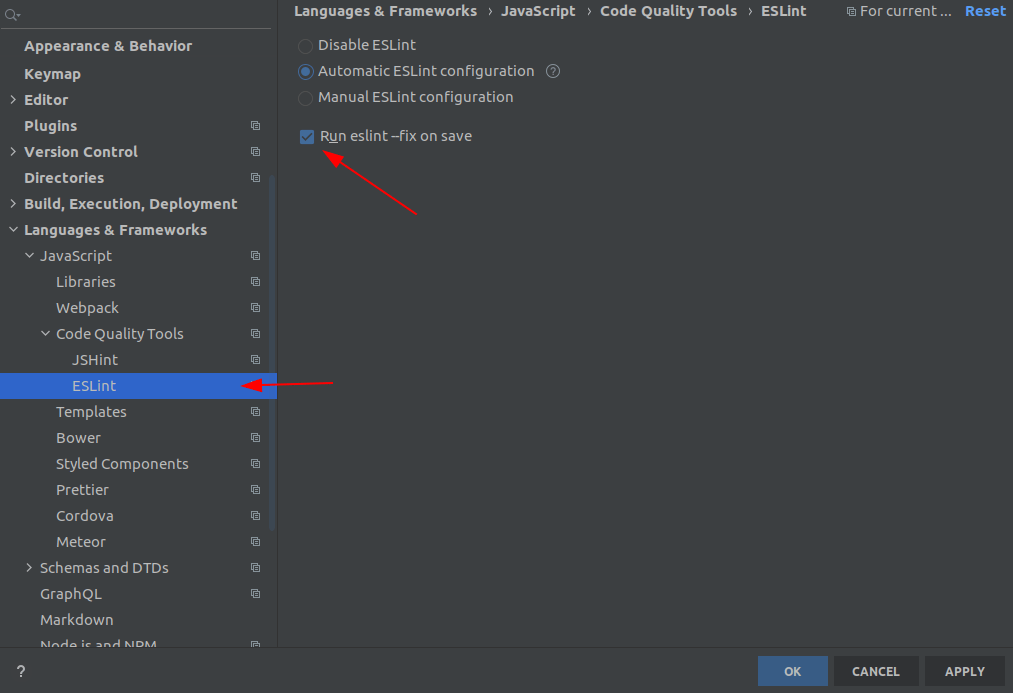
This will run eslint on save.
Stylelint
Stylelint doesn’t have a great out of the box support but we will create custom File Watchers to solve this problem.
First we need to enable Stylelint, open settings ctrl + alt + s and head to Language & Frameworks > Style Sheets > Stylelint. Check the Enable option.
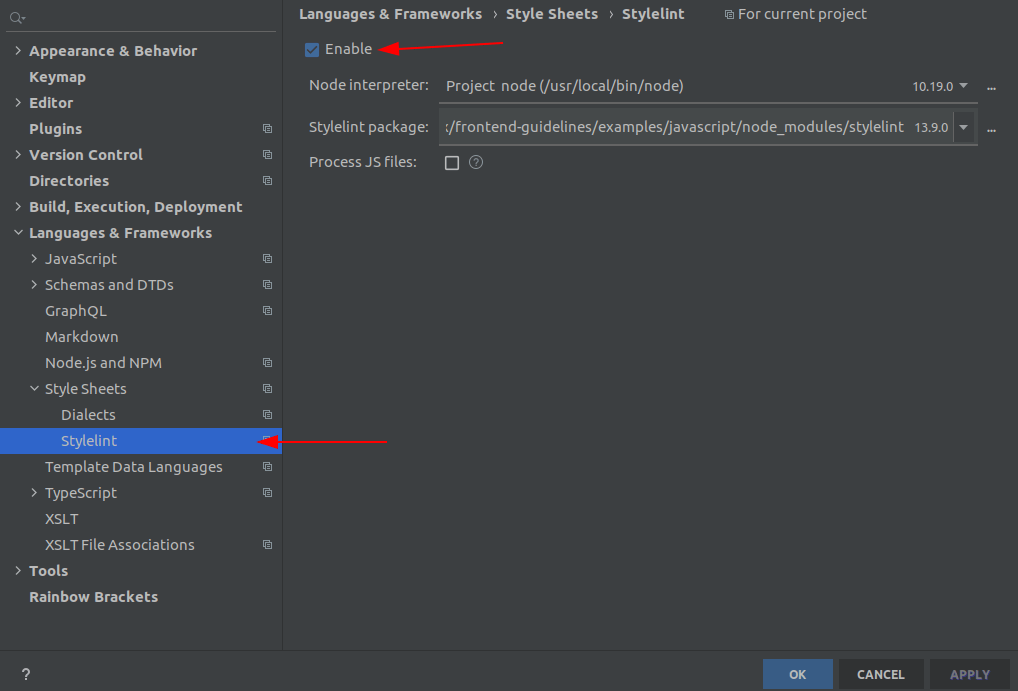
This will enable WebStorm to show error inside our style files. Unfortunately, at the time of writing WebStorm has a pending issue for implementing auto fixes.
To overcome this problem we will setup file watchers. File watchers allow us to run a (custom) certain actions on save.
To add a File Watcher, open settings ctrl + alt + s and head to Tools > File Watcher and click + in the bottom left and select custom template.
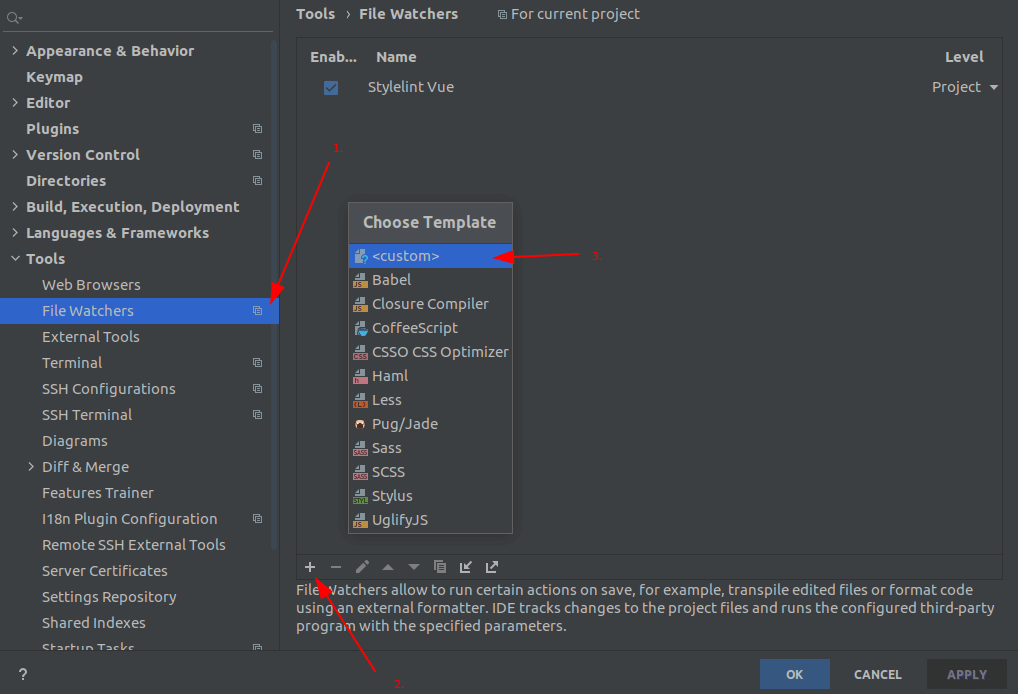
It will open a popup that should have the following values
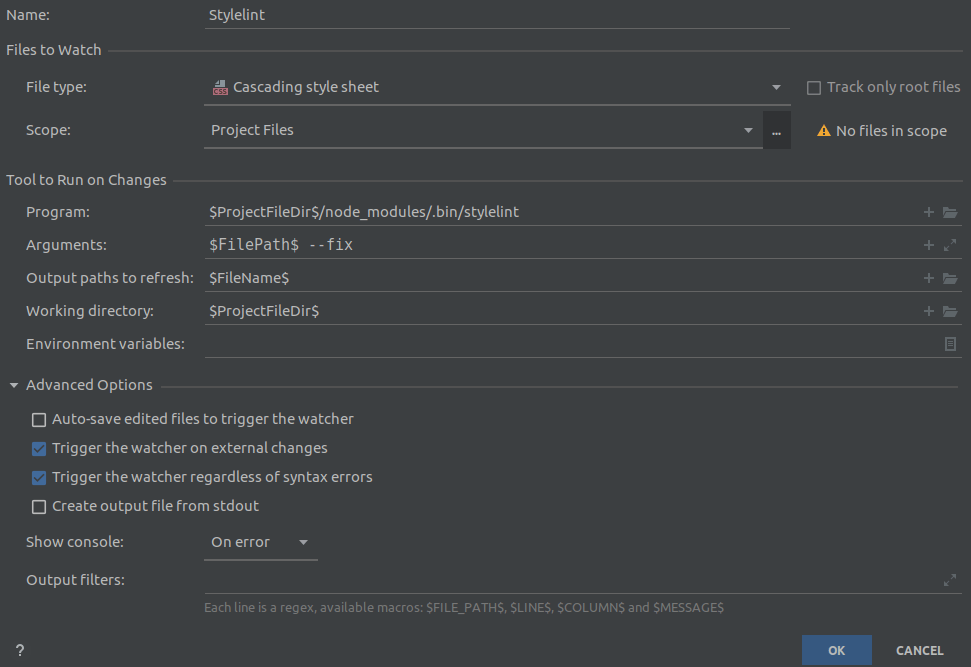
- File type
Cascading style sheet - Program:
$ProjectFileDir$/node_modules/.bin/stylelint - Arguments:
$FilePath$ --fix - Output paths to refresh:
$FileName$ - Working directory:
$ProjectFileDir$
With this you have setup a file watcher for CSS.
Note: This will only watch the specified files, to fix SCSS and Vue files separate file watchers need to be created (with same settings but different file type).
Another options is to add a custom command or External Tool as WebStorm calls them.
To add a tool, open settings ctrl + alt + s and head to Tools > External Tools and click + in the top left.

It will open a popup that should have the following values
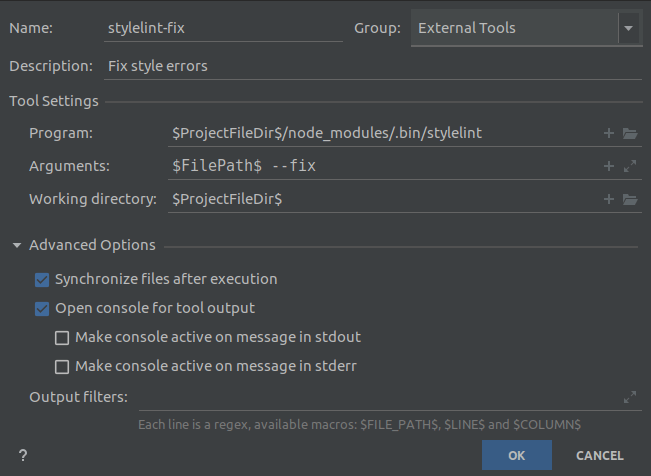
- Program:
$ProjectFileDir$/node_modules/.bin/stylelint - Arguments:
$FilePath$ --fix - Working directory:
$ProjectFileDir$
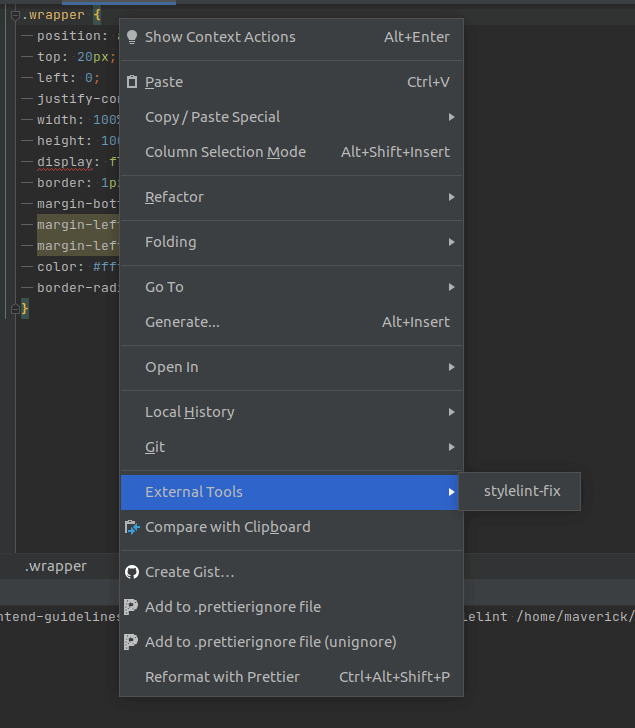
Now you can Right Click inside the file and you will find External Tools menu and inside will be the option you have added.