Templates Setup
Below is an exmplanation of how to setup file templates.
JetBrains
You can always refer to the official guide here.
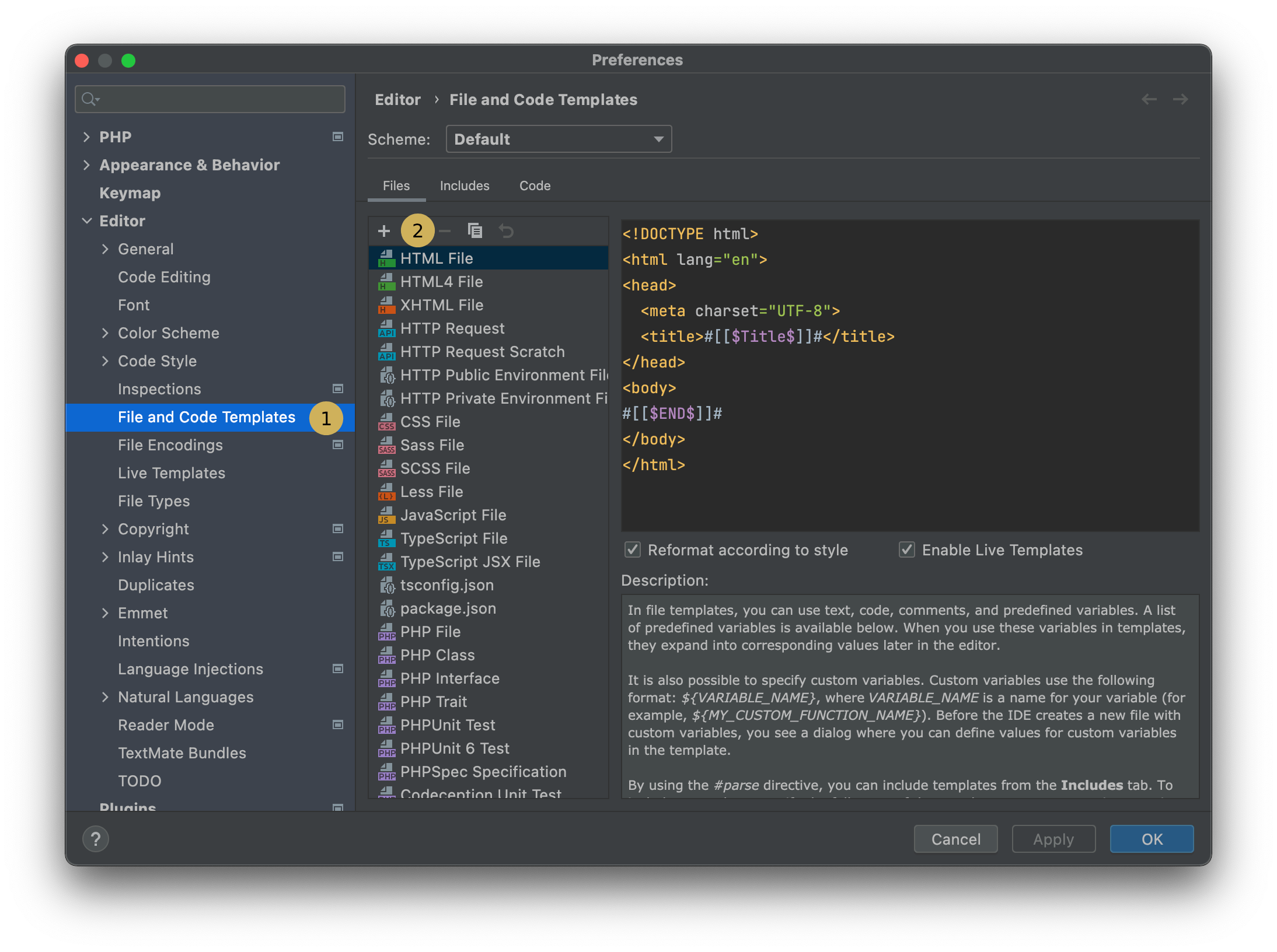
- Open settings ⌘ , to open IDE settings.
- Navigate to
Editor > File and Code Templates - In files tab click on
+in the top left to create a new template. - Copy any of the templates.